
Running Ubuntu Containers with Hyper-V Isolation on Windows

Dustin Kirkland
on 13 September 2017
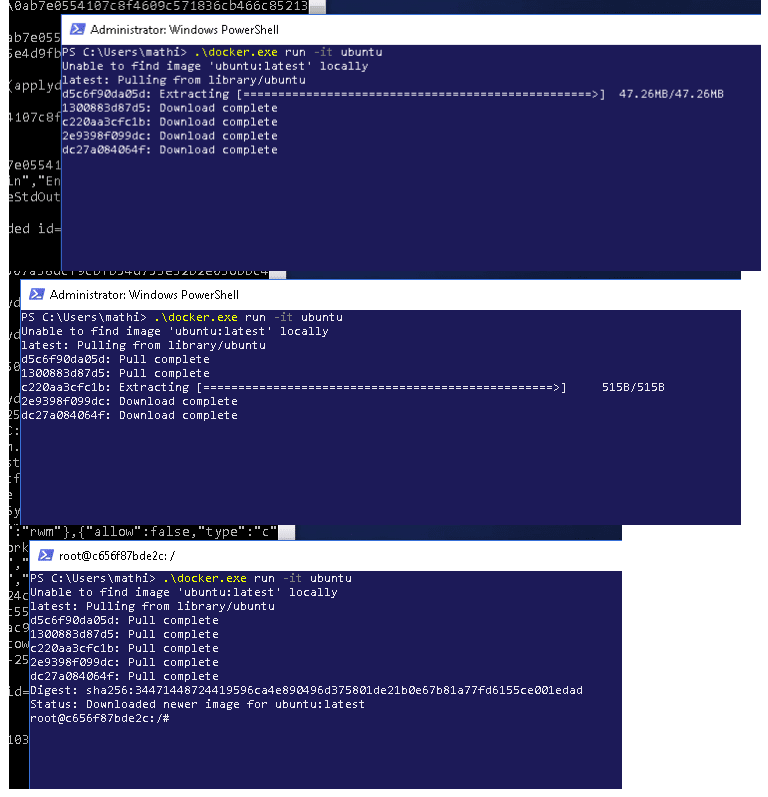
Canonical and Microsoft have teamed up to deliver an truly special experience — running Ubuntu containers with Hyper-V Isolation on Windows 10 and Windows Servers!
We have published a fantastic tutorial at https://ubu.one/UhyperV, with screenshots and easy-to-follow instructions. You should be up and running in minutes!
Follow that tutorial, and you’ll be able to launch Ubuntu containers with Hyper-V isolation by running the following directly from a Windows Powershell:
-
docker run -it ubuntu bash
Cheers!
Dustin
Talk to us today
Interested in running Ubuntu in your organisation?
Newsletter signup
Related posts
Tracing a memory leak bug in PID 1 and contributing an upstream fix: a Linux support story
How Canonical Support helped a global retail organization trace the cause for an unusual memory leak originating in PID 1. By investigating the issue across...
MAAS installation: bare metal provisioning is easier than ever
MAAS brings cloud-like automation to physical servers. It helps teams discover, commission, deploy, and repurpose machines from a central control plane,...
Januscape vulnerability CVE-2026-53359 mitigations available
Introduction A local privilege escalation (LPE) vulnerability affecting the Linux kernel was publicly disclosed on July 6, 2026. The vulnerability was...